Engaging, Fatigue-Free Studio Audio for Online Courses & Enterprise LMS.

Instructional designers and L&D teams rely on VoxErase to turn flat, mechanical course voiceovers into warm, engaging studio narration—with natural breath pacing, balanced -20dB RMS loudness across every module, and clean container metadata for SCORM and LMS authoring tools.

6-Stage Studio Solution for E-LEARNING & CORPORATE TRAINING DEVELOPERS.

What Platform Analyzers Flag

Long-form training modules and e-learning courses often suffer from brittle upper-midrange glare, identical 350ms pause intervals with <-80 dBFS dropouts, and volume swings between slides that exhaust learner focus and lower course completion rates.
How the 6-Stage DSP Engine Masters It

Our 6-stage DSP pipeline applies Phase Dispersion and Acoustic Humanization to restore warm vocal body and natural breath pacing, blends a subtle continuous studio room floor, locks every clip to -20dB RMS / -3.8dB True Peak, and sanitizes metadata tags (C2PA, Lavf, LAME3.100).

Recommended Studio Rack Settings

Upload your lesson audio on the homepage with Warm Class-A Preamp selected, then download standardized 44.1kHz 16-bit WAV and 192kbps CBR MP3 masters from your Private Delivery Workspace for Articulate Storyline, Captivate, or Camtasia.

⚡ 96% ➔ 2% VERIFIED BENCHMARK

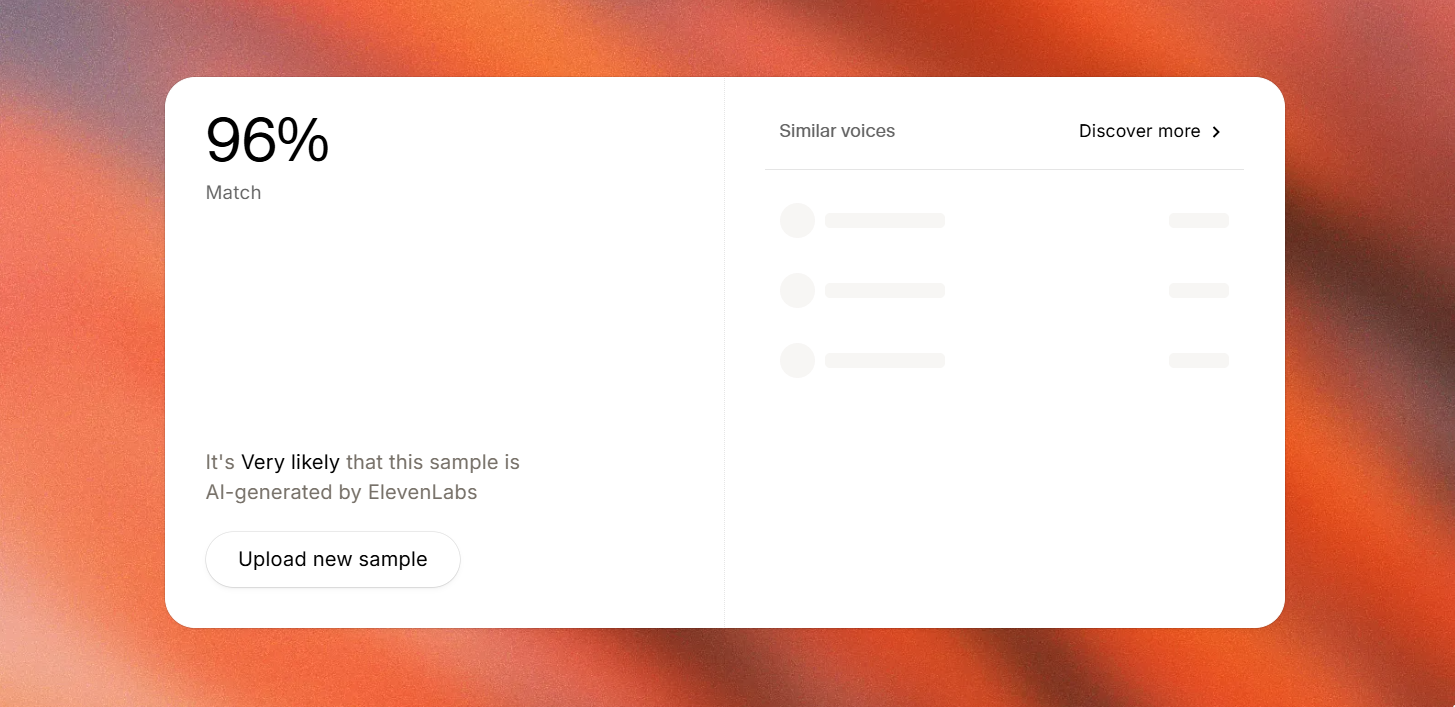
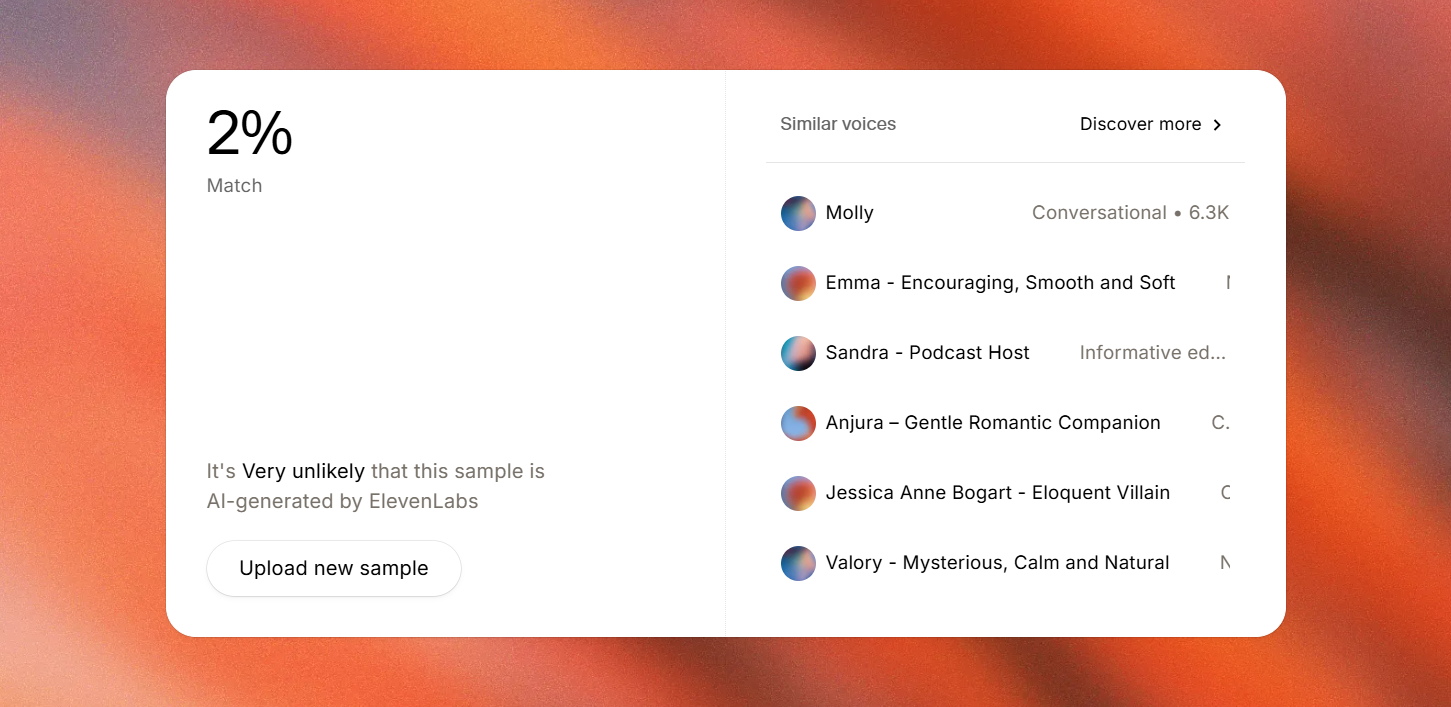
Hear the 96% ➔ 2% Classifier Bypass Proof.

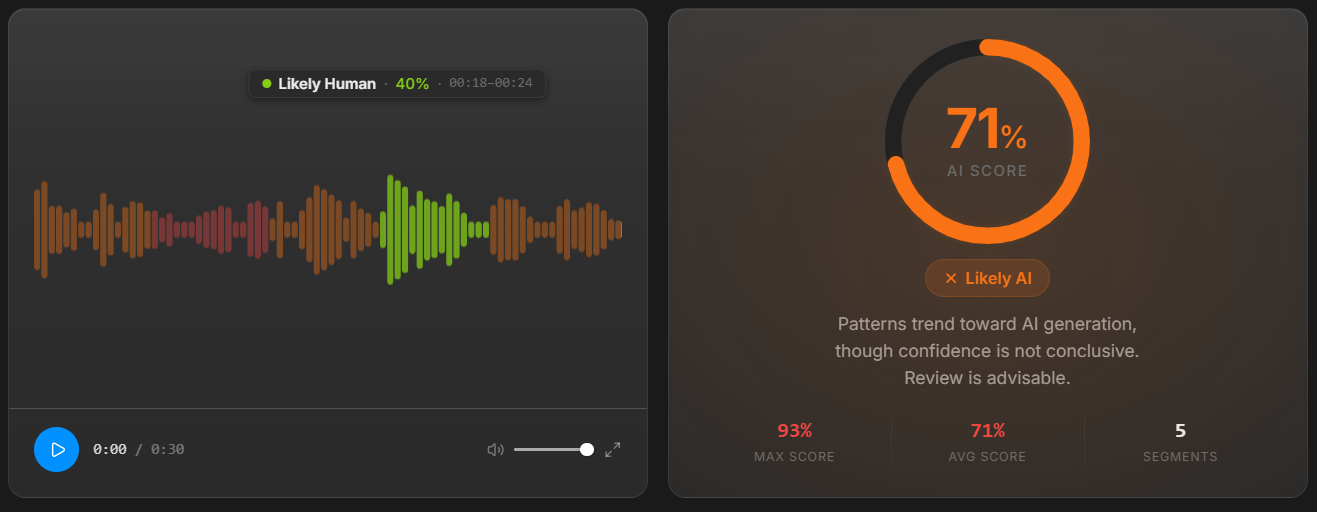
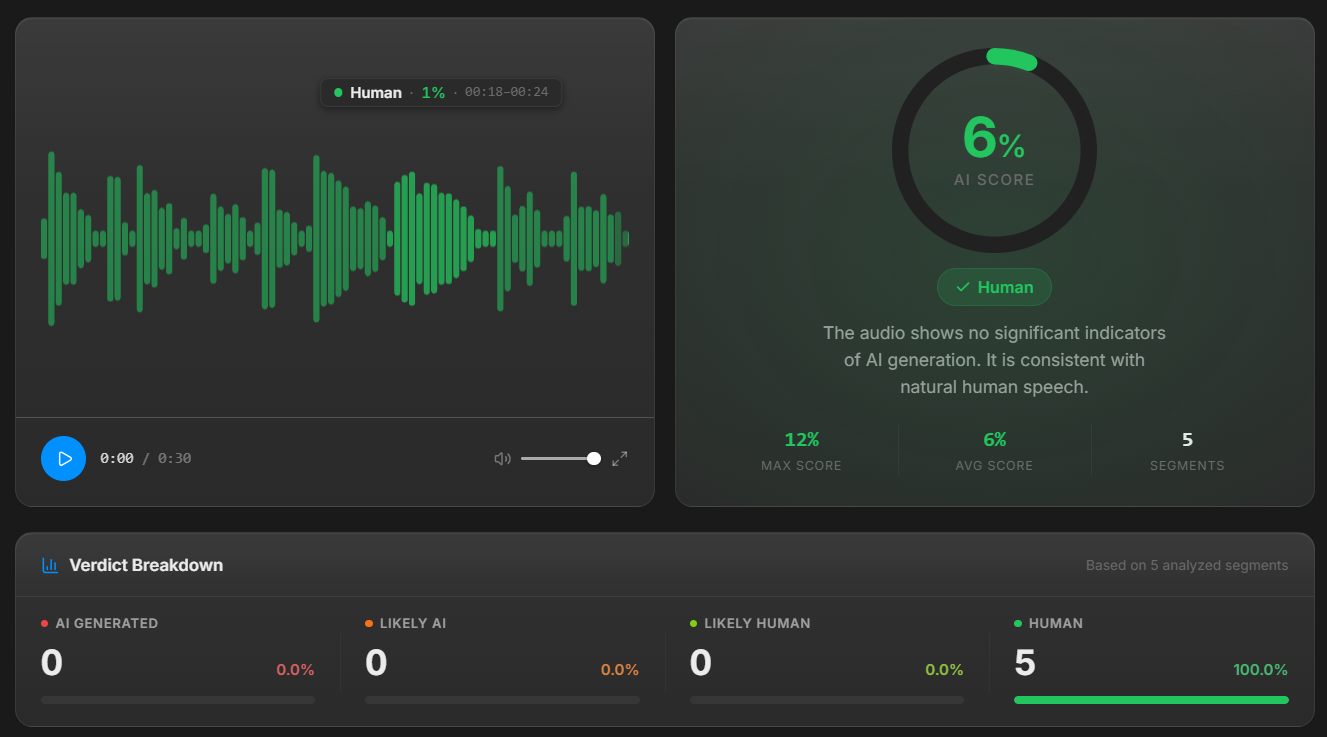
Compare the raw ElevenLabs source against our 6-stage processed master on the Foxwood_01 benchmark, or click any screenshot below to inspect full resolution.

Raw TTS Source (96% AI)
VoxErase Master (2% AI)
ElevenLabs Speech Classifier 96% match before VoxErase 🔍 Click image to inspect full-resolution screenshot ElevenLabs Speech Classifier 2% match after VoxErase 🔍 Click image to inspect full-resolution screenshot AI Voice Detector 71% AI score before VoxErase 🔍 Click image to inspect full-resolution screenshot AI Voice Detector 6% AI score after VoxErase 🔍 Click image to inspect full-resolution screenshot
Inspect the full 96% ➔ 2% benchmark report

Check the final file in its real destination.

Download your processed master from your Private Delivery Workspace and verify these studio benchmarks.

  • Eliminates >12kHz metallic vocal glare and restores warm studio condenser presence for long training sessions.
  • Locks uniform -20dB integrated RMS loudness and -3.8dB true-peak ceiling across every slide and lesson module.
  • Sanitizes container metadata tags and VBR headers for glitch-free timeline sync in SCORM and LMS authoring tools.

Start with a representative passage.

Keep your original, select your studio preset in the uploader, and download the finished master in your Private Delivery Workspace or pre-audit your track in the Free 6-Vector Scanner. You can also explore Read the E-Learning & Corporate Narration Mastering Guide or Audit a lesson clip in the Free 6-Vector Scanner or Open Your Private Delivery Workspace.

Upload your audio →