What Causes Tinny Sibilance and "Watery" Phase Artifacts in Podcast Stems
Modern podcast workflows frequently combine remote double-ender tracks, cloud transcription editors, or AI-assisted dialogue stems (including NotebookLM Audio Overviews and multi-speaker voice generations). These pipelines process speech in fixed short-time spectral windows that lock harmonic phases between 3.5kHz and 12kHz.
When played back on earbuds or car tweeters, this rigid phase grid creates a tinny, metallic sheen on every "s", "sh", and "t" consonant. Standard single-band de-essers often over-compress these frequencies, giving the host a lisp without resolving the underlying phase coherence.
Stage 1–4 Phase Dispersion & Bio-Acoustic Sibilance Smoothing
VoxErase approaches podcast post-production through multi-band Phase Dispersion and Bio-Acoustic Sibilance Resynthesis. Instead of clamping down on the entire high-frequency shelf, Stage 1 & 2 reconstructs natural micro-phase dispersion across harmonic partials so vocal formants breathe like an analog dynamic microphone (such as a Shure SM7B or Electro-Voice RE20) running through a Class-A preamp.
Next, Stage 3 & 4 selectively smooths resonant upper-midrange sibilance while restoring natural >12kHz acoustic air, eliminating ear fatigue across 60-minute episodes.
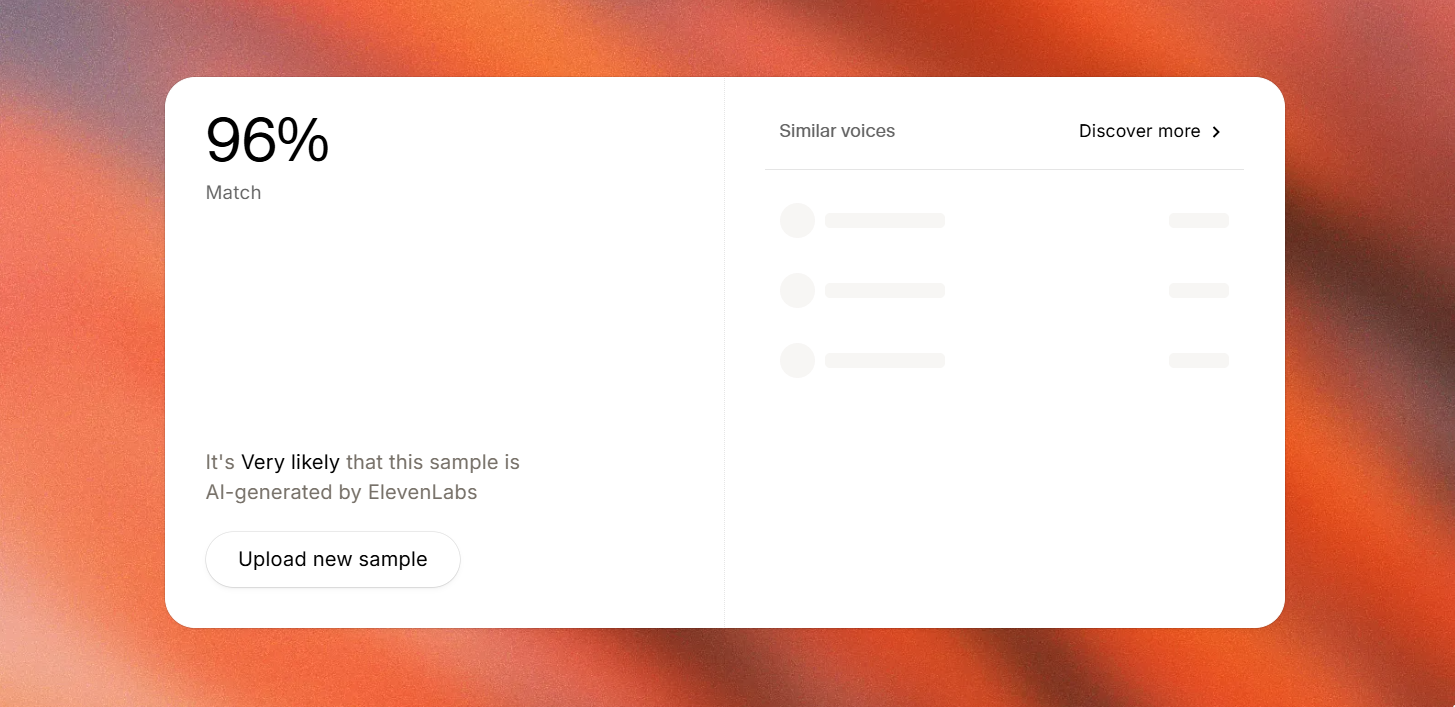
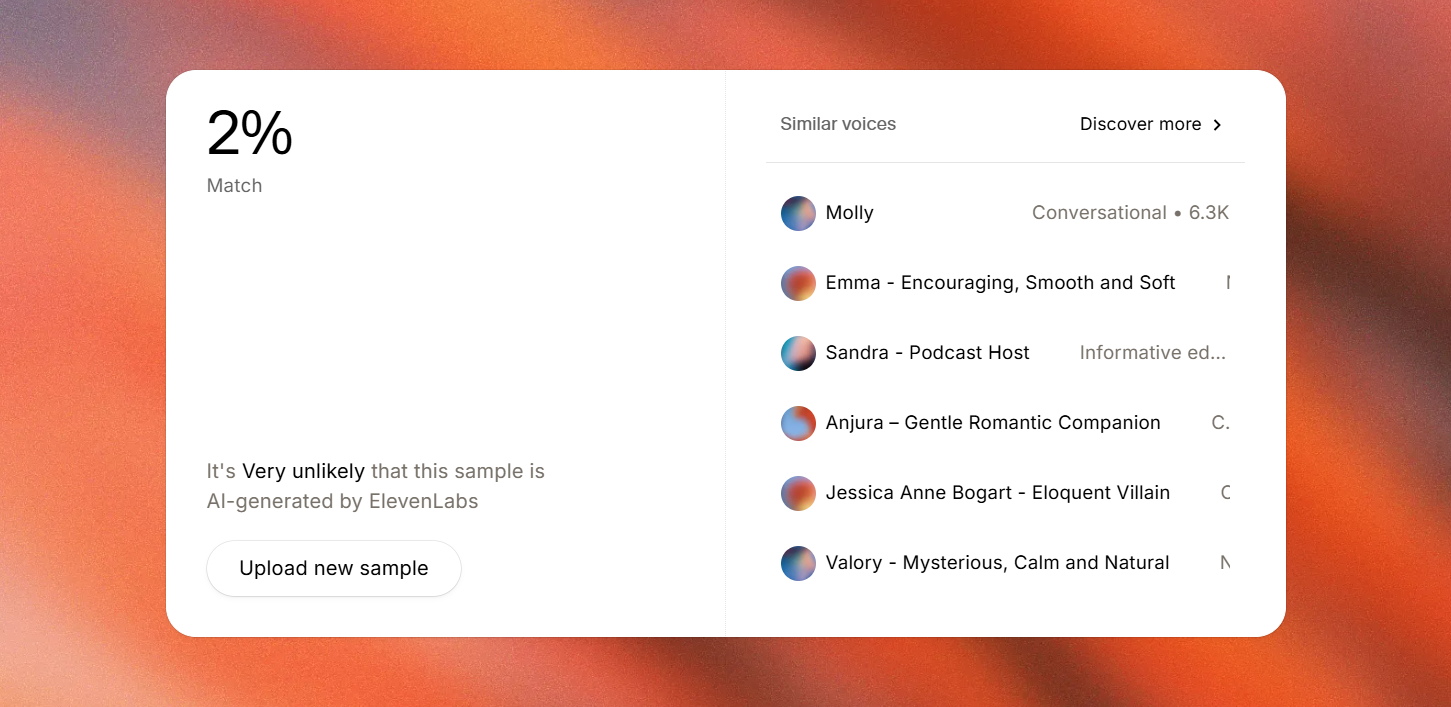
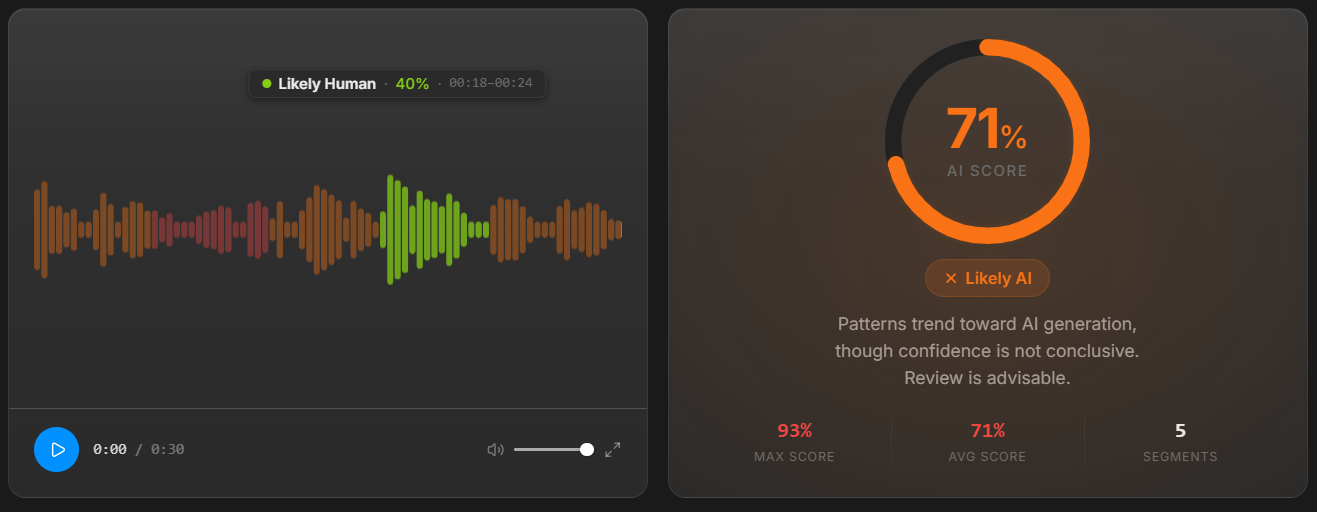
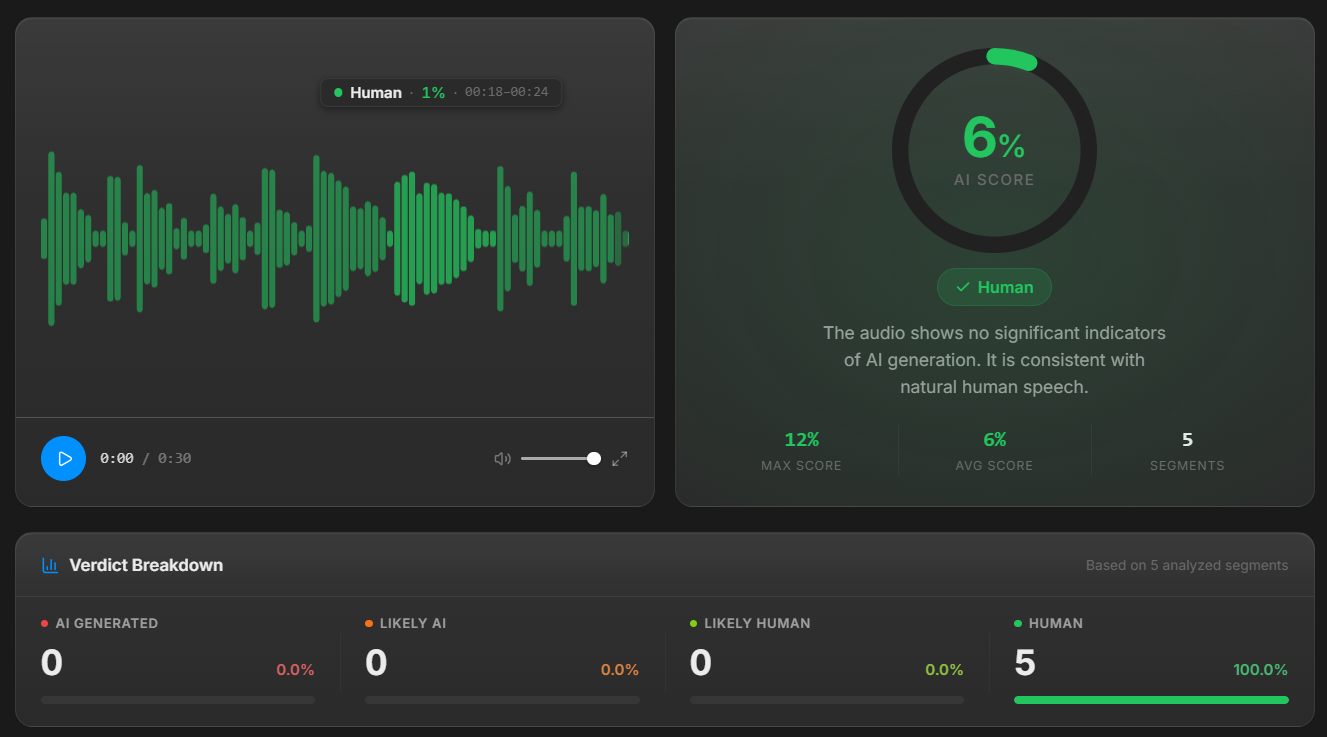
Hear the 96% ➔ 2% Classifier Bypass Proof.
Compare the raw ElevenLabs source against our 6-stage processed master on the Foxwood_01 benchmark, or click any screenshot below to inspect full resolution.
 🔍 Click image to inspect full-resolution screenshot
  🔍 Click image to inspect full-resolution screenshot
  🔍 Click image to inspect full-resolution screenshot
  🔍 Click image to inspect full-resolution screenshot
 Unifying Multi-Host Episodes with Continuous Studio Room Air & Broadcast Mastering
In multi-speaker interviews and audio dramas, cutting between tracks often leaves abrupt `<-80 dBFS` digital dropouts whenever one speaker is muted. On headphones, that constant gating sounds unnatural and distracting.
VoxErase Stage 5 & 6 Broadcast Mastering unifies your entire episode over a continuous, low-level studio condenser room floor (-65dB to -72dB), locks integrated loudness to -20dB RMS with a -3.8dB true-peak ceiling, and sanitizes all container metadata tags (`Lavf`, `LAME3.100`, `C2PA`, `Xing`) for clean distributor ingestion.
Forensic Breakdown: Platform Detector Scans vs. VoxErase 6-Stage Engine
| What the Platform Detector Scans | Why Raw ElevenLabs/TTS Fails | How VoxErase's 6-Stage Engine Erases It |
|---|---|---|
| 6kHz–10kHz Tinny Sibilance & Harsh Transients | Piercing consonant spikes fatigue headphone listeners and distort on car audio systems. | Bio-Acoustic Sibilance Resynthesis smooths harsh peaks while preserving crisp consonant articulation. |
| Inter-Frame Vocoder & Compression Phase Artifacts | Produces a watery, metallic upper-midrange resonance on conversational and AI-assisted podcast stems. | Stage 1 & 2 Phase Dispersion restores natural analog microphone warmth and harmonic depth. |
| Multi-Speaker Gate Dropouts (<-80 dBFS) | Abrupt digital silence between host turns breaks acoustic immersion on headphones. | Embeds continuous studio room tone to glue multi-speaker dialogue together seamlessly. |
| Episode-to-Episode Loudness & Container Hygiene | Inconsistent volume across episodes and leftover encoder/provenance tags in MP3 headers. | Broadcast Mastering (-20dB RMS / -3.8dB Peak) + Clean Container Signatures (WAV & 192kbps CBR MP3). |
Step-by-Step Studio Resolution Workflow
- Run your podcast stem or full episode mix through the Free 6-Vector Scanner to inspect sibilance crest factor, RMS loudness, and container tags.
- Upload your episode on the homepage and choose Warm Class-A Preamp presence in the Studio Uploader.
- Download your broadcast-mastered WAV and 192kbps CBR MP3 files from your Private Delivery Workspace.
Technical Specifications & References
Explore our 6-Stage Anti-Detection DSP Studio, see how the 6-stage pipeline works, or process your first audio file free.